A CRM helps you win the work: buildings, contacts, repair leads, deals, and proposals. An ERP helps you do the work and get paid: contracts, scheduling, time, parts, job costs, invoices, and the books. An elevator company needs both, on the same buildings and elevators. Zip OS, ElevatorZip’s full system, is both an ERP and a CRM when it’s integrated with QuickBooks Online.
What is a CRM?
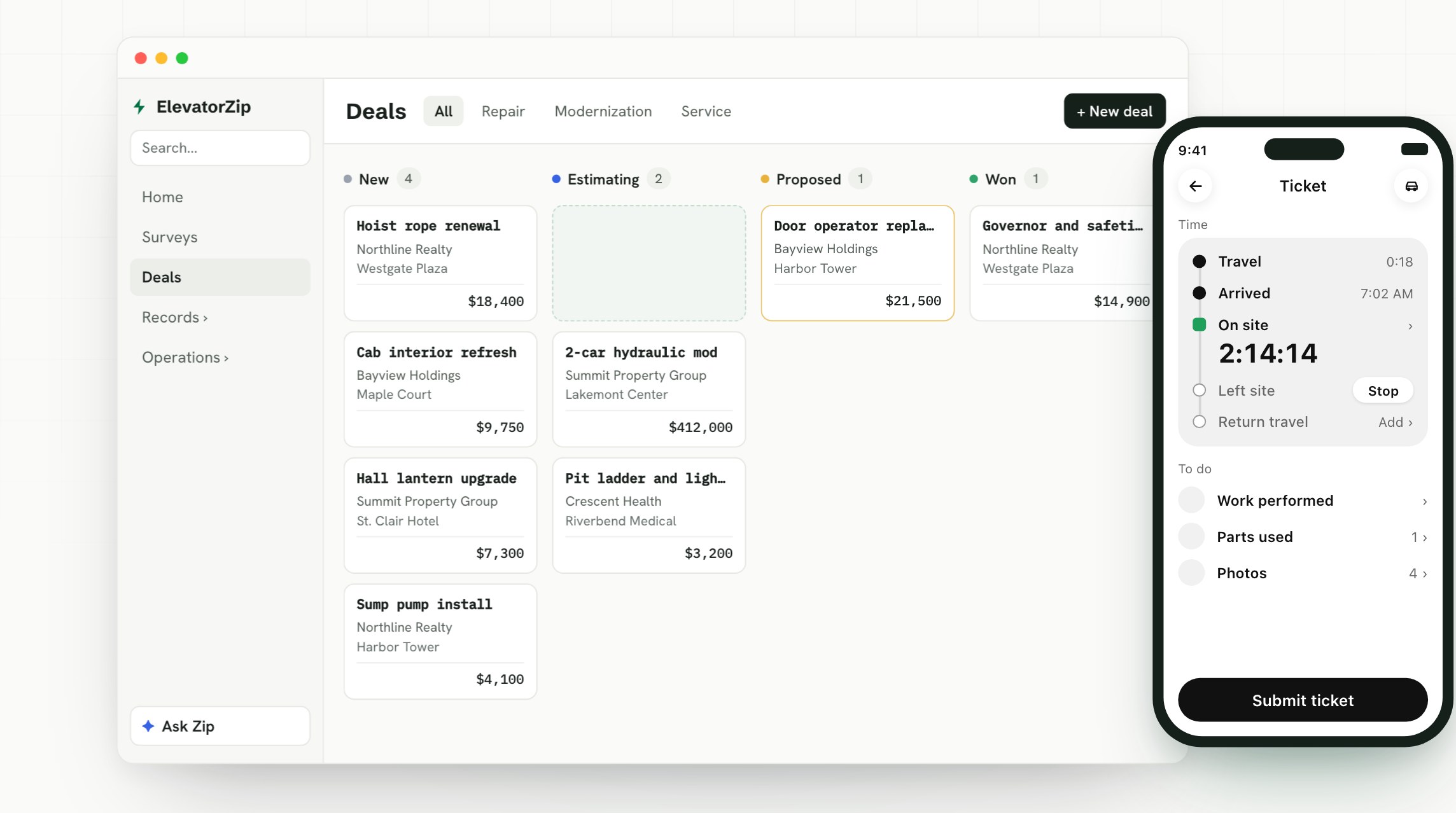
CRM stands for customer relationship management. It’s where your sales live: who your customers are, what you’re selling them, and where every deal stands.
For an elevator company, a CRM tracks:
- Customers, property managers, and contacts
- Buildings and the elevators in them
- Repair leads from your mechanics
- Deals for repairs, modernizations, and service
- Estimates, proposals, and signatures
A CRM answers questions like “What are we about to sell?” and “Which proposals haven’t been signed yet?” We cover the elevator version in detail in what a CRM for elevator companies should do.
What is an ERP?
ERP stands for enterprise resource planning. It’s where the business behind the sale lives: the work, the people, the parts, and the money.
For an elevator company, an ERP covers:
- Maintenance contracts and what they cover
- Scheduling, routes, and dispatch
- Mechanics’ time tickets
- Purchase orders for parts
- Job costs and profit
- Invoices and payments
- The books: general ledger, taxes, and financial reports
An ERP answers questions like “Who’s on call tonight?”, “Did that mod make money?”, and “Has this contract been invoiced?”
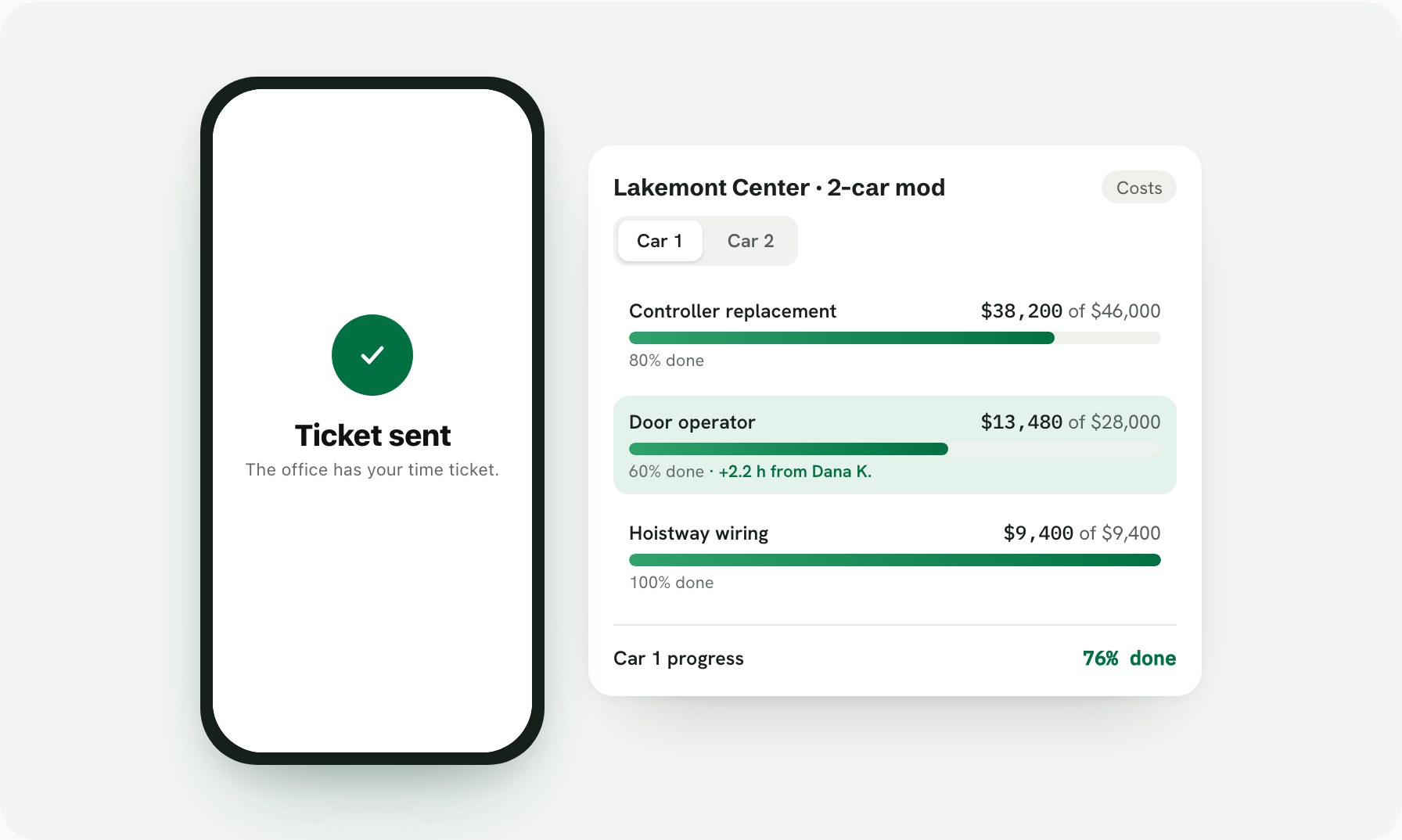
Images use a demo company with made-up data.
ERP vs. CRM at a glance
| CRM | ERP | |
|---|---|---|
| Its job | Win the work | Do the work and get paid |
| The question it answers | What are we selling, and to whom? | What did the work take, what did it cost, and did we get paid? |
| Who uses it most | Owners, sales, and estimators | Office, dispatch, billing, and accounting |
| What mechanics do in it | Flag repair work from the field | Log time, parts, and photos on a ticket |
| Core records | Customers, buildings, elevators, leads, deals, proposals | Contracts, jobs, schedules, time tickets, purchase orders, invoices |
| Where it ends | A signed proposal | A paid invoice |
Why elevator companies need both, connected
Follow one repair from start to finish:
- CRM: A mechanic sees a worn door operator and sends a repair lead from the field.
- CRM: The office prices it and sends a proposal. The customer signs.
- ERP: The job is booked, the parts are ordered, and the work goes on the schedule.
- ERP: The mechanic does the work, and the time lands on a time ticket.
- ERP: The job’s costs add up, the invoice goes out, and the payment comes in.
It’s the same building, the same elevator, and the same customer the whole way. When the CRM and the ERP are separate systems, someone in the office copies that story from one screen to the other, and the profit on the job is a guess until the books close.
Is Zip OS an ERP or a CRM?
Zip OS, ElevatorZip’s full system, is both an ERP and a CRM when it’s integrated with QuickBooks Online. It’s the CRM for elevator contractors, and it runs the operations side of the ERP too, so every step of that repair happens on the same records. QuickBooks Online keeps the books.
| Part of the business | Where it runs |
|---|---|
| Customers, buildings, elevators, and contacts | Zip OS |
| Repair leads from the field | Zip OS, with Zip Repair included |
| Surveys, estimates, and e-signature proposals | Zip OS |
| Maintenance contracts and contract billing | Zip OS |
| Scheduling, dispatch, and time tickets | Zip OS |
| Purchase orders, project management, and job costing | Zip OS |
| Invoices | Made in Zip OS, sent to QuickBooks |
| Payments | Recorded in QuickBooks, marked paid in Zip OS on their own |
| General ledger, taxes, and financial reports | QuickBooks |
Where QuickBooks fits
Zip OS doesn’t try to be your accounting software. QuickBooks stays your books, and Zip OS sends it what it needs:
- Invoices go to QuickBooks. Review them on one screen and send them with one button.
- Purchase orders go too, with the same number your supplier got.
- Payments come back on their own. When a customer pays in QuickBooks, the invoice is marked paid in Zip OS.
- Everything lands on the right GL accounts, the ones you already use in QuickBooks.
- Nothing goes into QuickBooks until someone on your team presses a button.
Together, Zip OS and QuickBooks Online run the whole business, from the first repair lead to the paid invoice, and your bookkeeper keeps working in the software they already know. See how the QuickBooks integration works.
What to look for in an elevator ERP and CRM
You don’t need two systems if one does both on the same records. When you look at software, ask:
- Does a signed proposal turn into a job without retyping?
- Do mechanics’ time and parts land on the job they’re for?
- Can you see profit by job, building, elevator, and contract?
- Do maintenance contracts invoice on schedule?
- Does it connect to the accounting software you already use?
Frequently asked questions
What is the difference between an ERP and a CRM?
A CRM manages customers and sales: contacts, leads, deals, and proposals. An ERP manages the business behind the sale: the work, the people, the parts, and the money. A CRM helps you win the work. An ERP helps you do the work and get paid.
What does ERP stand for?
ERP stands for enterprise resource planning. An ERP runs a company’s operations and money in one place. For an elevator company, that’s maintenance contracts, scheduling, dispatch, time tickets, purchase orders, job costing, invoicing, and the books.
What does CRM stand for?
CRM stands for customer relationship management. A CRM tracks your customers and sales. For an elevator company, that means buildings, elevators, contacts, repair leads, deals, and proposals.
Does an elevator company need an ERP or a CRM?
Both. The sale and the work happen on the same buildings and elevators, so they work best in one system. Zip OS, ElevatorZip’s full system, is both an ERP and a CRM when it’s integrated with QuickBooks Online.
Is Zip OS an ERP or a CRM?
Both, when it’s integrated with QuickBooks Online. Zip OS is ElevatorZip’s CRM for elevator contractors, and it also runs maintenance contracts, scheduling, dispatch, time tickets, purchase orders, job costing, and invoicing. QuickBooks Online keeps the books.
Does Zip OS integrate with QuickBooks?
Yes. Zip OS connects to QuickBooks Online. Invoices and purchase orders go to QuickBooks when someone on your team presses a button, and payments come back to Zip OS on their own.
Does Zip OS replace QuickBooks?
No. QuickBooks stays your books: your general ledger, taxes, and financial reports. Zip OS runs the work and sends QuickBooks the invoices and purchase orders.
Can one system be both a CRM and an ERP?
Yes, and for an elevator company it should be. When both run on the same records, a signed proposal becomes a job, the job’s time and parts become its cost, and the invoice goes out without anyone typing it twice.
How do I see Zip OS for my elevator company?
Book a 30-minute demo and we’ll walk through it on your own buildings.
See your sales, your operations, and QuickBooks working as one system. Book a 30-minute Zip OS demo.